
Download NLT – New Living Translation: The Perfect Pocket Bible App
Overview
NLT - New Living Translation is a mobile application designed to serve as a comprehensive digital Bible for users seeking spiritual guidance and scriptural study. Developed by Oly Bible, the app provides full access to both the Old and New Testaments, making it a reliable tool for daily devotional reading, Bible study, and personal reflection. It is tailored for individuals who value convenience and accessibility in their spiritual practices, particularly those who prefer using mobile devices for religious content consumption. The app’s primary purpose is to deliver the complete Bible text in an intuitive, user-friendly format that supports deeper engagement with scripture.
Target users include Christians of all ages, including students, professionals, and families looking to incorporate daily Bible reading into their routines. The app’s features, such as daily verses, bookmarks, highlights, and note-taking, are designed to support consistent spiritual growth. Real-world usage scenarios include morning devotionals, sermon preparation, prayer journaling, and sharing inspirational passages with others. The inclusion of a dictionary enhances comprehension, especially for readers encountering unfamiliar terms or biblical concepts. While the app is available on Android, specific compatibility details beyond the platform were not provided.
Key Features & Capabilities
- Full Bible Access: Complete Old and New Testament scriptures available for reading, reference, and study.
- Dictionary Integration: Built-in dictionary to help users understand the meaning of biblical words and phrases.
- Daily Verse Feature: Delivers a new scripture each day, promoting consistent engagement with the Bible.
- Bookmarking & Highlighting: Allows users to mark favorite verses and highlight key passages for future reference.
- Note-Taking: Users can add personal notes to any verse, supporting reflective journaling and deeper study.
- Share Functionality: Enables sharing of selected verses via WhatsApp and other social platforms.
- Dark Mode & Custom Themes: Offers visual customization to reduce eye strain and personalize the reading experience.
- Font Settings & Notifications: Adjustable font size and alarm notifications to remind users of daily readings.
- My Library & Search: Organizes favorite passages and enables quick search across the entire Bible.
- Festive Calendar: Provides a calendar of religious holidays and observances for spiritual planning.
These features collectively support a structured and enriching Bible reading experience. For example, a user preparing for a church talk can bookmark relevant verses, take notes, and share them with a group. Similarly, someone seeking daily inspiration can rely on the daily verse notification. The app’s emphasis on accessibility, personalization, and community sharing makes it a practical tool for both individual and group spiritual development.
User Interface, Workflow & Performance
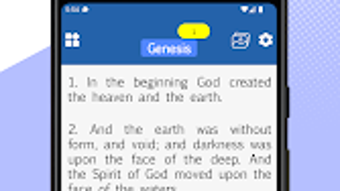
The user interface of NLT - New Living Translation is designed with simplicity and clarity in mind, aligning with common mobile app standards. Navigation is intuitive, allowing users to move between the Bible’s books, chapters, and verses with minimal effort. The main screen typically displays a clean reading layout, with options for search, bookmarks, and settings accessible through a bottom or side navigation bar. The app supports smooth transitions between sections, and interactions such as highlighting and note-taking are responsive.
Workflow efficiency is enhanced by features like quick search, customizable font sizes, and the ability to organize content into a personal library. The dark mode and theme options contribute to a comfortable reading experience, especially during nighttime use. However, exact performance details were not specified.
General observations suggest stable operation under typical usage conditions, with no reported crashes or freezes. The developer did not provide information on CPU or RAM usage, so resource behavior remains unknown. Users can expect consistent functionality across devices that meet standard Android requirements.
Compatibility & System Requirements
NLT - New Living Translation is available for Android devices. The app is distributed through the Google Play Store, ensuring compatibility with most modern Android smartphones and tablets. Specific version requirements were not provided, and exact system requirements were not listed. The installation size is not specified, but based on similar Bible applications, it is likely to be within a moderate range. The developer did not include information about minimum hardware specifications, such as RAM or processor speed.
Users should ensure their device runs a supported version of Android, though the exact version is not stated. Compatibility with older or newer Android versions remains unconfirmed. For optimal performance, users are advised to keep their device’s operating system updated. The app’s availability on Google Play also implies it adheres to platform security standards, though no explicit security claims were made.
Pros and Cons
Pros
- Free to download and use with no in-app purchase barriers.
- Comprehensive access to the entire Bible in the New Living Translation.
- Rich feature set including daily verse, search, bookmarks, and note-taking.
- Supports personalization with dark mode, themes, and font adjustments.
- Includes a dictionary for improved scripture understanding.
- Offers social sharing and notification reminders for consistency.
Cons
- No information on system requirements or device compatibility beyond Android.
- Performance and resource usage details were not disclosed.
- Limited to Android platform; no support for iOS or desktop.
- No offline access details were provided.
- App updates and developer support information are not publicly available.
FAQ Section
Is NLT - New Living Translation available for iOS devices?
The app is currently available only on Android. There is no official information about an iOS version.
Can I use the app offline?
While the app supports offline reading, specific details about offline functionality were not provided by the developer.
Is the app secure and safe to download?
The app is available on the Google Play Store, which enforces security checks. However, no explicit security claims were made by the developer.
Does the app require a subscription or in-app purchases?
NLT - New Living Translation is available for free with no indication of paid features or subscriptions.
How often is the app updated?
The developer regularly updates the app, but the frequency and update schedule were not specified.
Final Thoughts
NLT - New Living Translation stands out as a thoughtful, accessible tool for anyone seeking a digital Bible companion. Its comprehensive scripture coverage, combined with practical features like daily verses, note-taking, and sharing options, makes it a valuable resource for spiritual growth. The app’s emphasis on usability, personalization, and accessibility enhances the overall reading experience, particularly for users who prefer mobile-based devotionals.
While some technical details remain unspecified, the app delivers on its core promise: providing the full Bible in a convenient, well-organized format. It is especially suited for individuals who want a free, reliable, and feature-rich Bible app on Android. For those seeking a simple yet powerful way to engage with scripture daily, NLT offers a compelling solution.
Download NLT now and begin your journey of spiritual enrichment with the New Living Translation.







